






A remote web designer works on website layouts, user interfaces, and responsive designs from outside your office. Hiring remotely lets you tap into a wider pool of talent, manage costs, and scale design resources without being limited to your local market.
Nearshore designers from LATAM or skilled professionals from other regions can handle complex projects while fitting into your workflow. Platforms like Floowi make it easier to find designers who are already vetted for the skills that matter and ready to collaborate effectively.
Let’s cover why companies hire remote web designers, which skills to look for, how to structure the hiring process, and where to find designers who can deliver results reliably.
Why Companies Choose Remote Web Designers
Companies hire remote web designers to access specialized talent beyond local limits, combining strong design skills with technical expertise. This approach reduces costs, allows flexible scaling, and uses collaboration tools to keep projects on schedule. Remote designers also bring fresh perspectives that help improve user engagement and prevent brand stagnation.
Access to Global Talent at Competitive Rates
Local hiring limits your options to those who live within commuting distance. Remote hiring removes that constraint entirely.
A senior web designer in San Francisco earns $120K-$150K per year. The same skill level from a LATAM remote web designer costs $42K-$65K. The difference isn’t in quality - it’s the cost of living. Both designers work in Figma, understand UX principles, and deliver production-ready results.
The math works out clearly: you either hire one U.S. designer or two LATAM designers for similar budget. Most agencies choose the latter.
Faster Hiring Cycles with Pre-Vetted Designers
Traditional hiring takes 6-8 weeks minimum. Writing job descriptions, posting on boards, screening hundreds of applicants, conducting interviews, negotiating offers. It's a grind.
Vetted talent partners compress this to 10-15 days. They've already screened for technical skills, English proficiency, and remote collaboration readiness. You review pre-qualified candidates instead of sorting through unfiltered applications.
When client projects stack up, speed matters more than saving a few hundred dollars on recruitment fees.
Aligned Time Zones for Seamless Collaboration (LATAM Advantage)
Remote doesn't mean disconnected. LATAM designers typically work within 1-3 hours of U.S. Eastern time. That overlap enables:
- Real-time feedback during working hours
- Same-day revision cycles
- Live collaboration in Figma
- Meetings at reasonable times for everyone
Compare that to offshore hiring from Asia where 12-hour time gaps mean 24-hour feedback loops minimum. For fast-moving projects, that delay kills momentum.
Why LATAM Remote Web Designers Are Rising in 2026
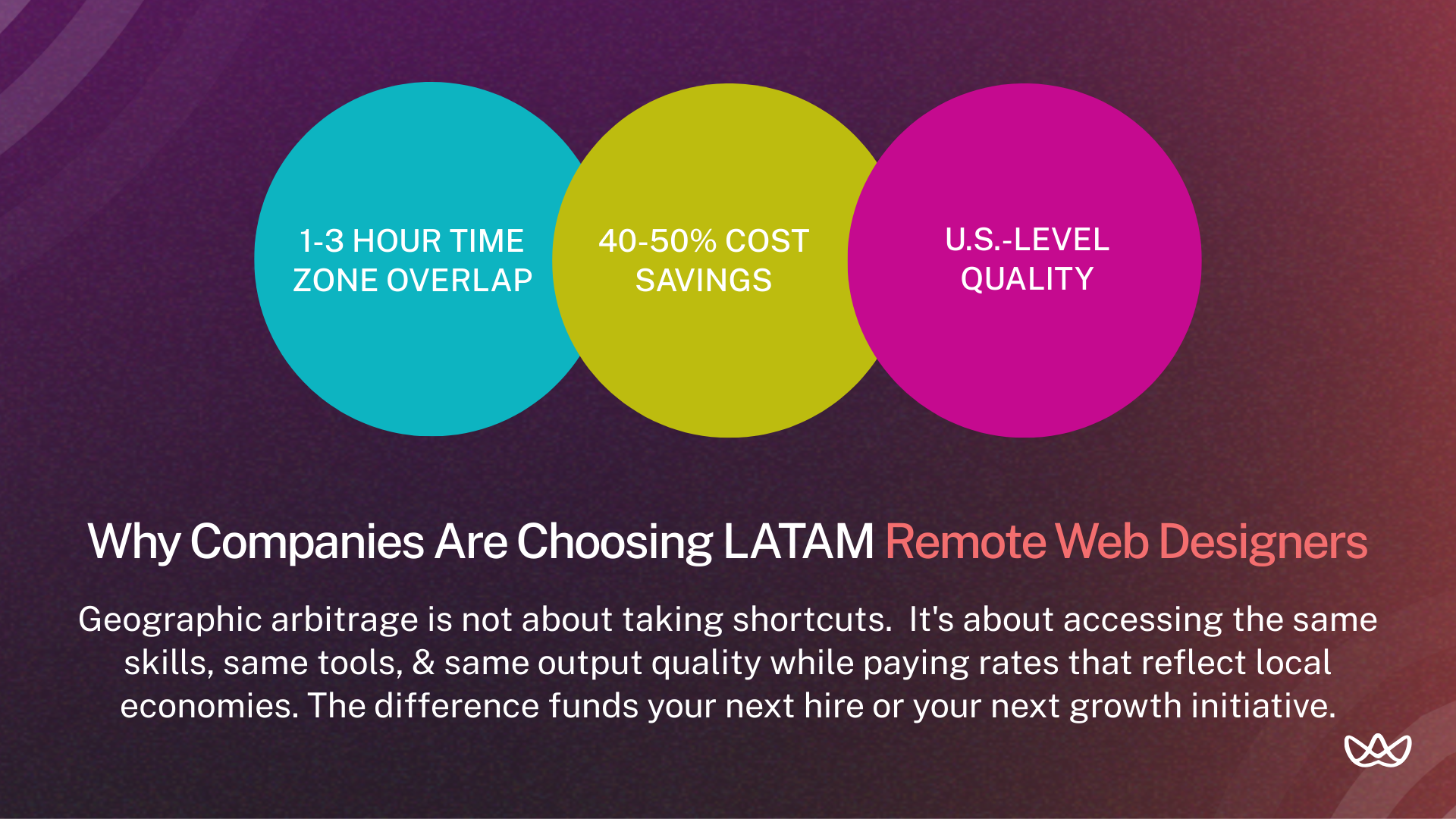
The rise of LATAM remote web designers comes from their near-perfect time zone alignment with North America and growing technical expertise, including AI-driven design. Companies gain high-quality talent while saving 30-60% in costs, benefiting from English proficiency, cultural alignment, and a growing pool of STEM-trained designers skilled in modern UX standards.
1. Time Zone Alignment
LATAM countries span time zones from UTC-3 to UTC-6. For U.S. companies, that means substantial overlap with both East and West Coast hours.
A designer in Argentina (UTC-3) shares 6+ hours with New York. A designer in Mexico (UTC-6) aligns almost perfectly with California. This isn't minor convenience. It's the difference between async-only communication and actual real-time collaboration.
2. U.S.-Level Quality at Lower Cost
LATAM designers train on the same resources as U.S. designers. They watch the same YouTube tutorials, take the same online courses, and use identical tools. Many have agency experience serving American and European clients directly.
The quality gap that existed a decade ago has closed. What remains is a cost gap driven by economics, not skill.
3. High English Proficiency
English education in countries like Argentina, Colombia, and Mexico has improved significantly. Many designers have worked with U.S. clients for years and communicate fluently in both written and verbal formats.
Vetted talent partners screen for English proficiency specifically. You're not gambling on whether someone can explain their design decisions clearly.
What a Remote Web Designer Actually Does
A remote web designer shapes the visual and interactive structure of a website, focusing on high-performance UI and UX. They use tools like Figma to create responsive, mobile-ready layouts, integrate brand elements, and add modern features like motion graphics or AI personalization. They also collaborate with developers and stakeholders to ensure designs are feasible, accessible, SEO-friendly, and aligned with business goals.
1. UX/UI Design with Conversion-Focused Wireframes
Remote web designers create layouts and user flows that guide visitors toward actions like signups, purchases, or inquiries.
Why it matters: Pretty designs that confuse users don't convert. Strategic UX thinking turns traffic into revenue.
Example: A remote web designer maps out the homepage hierarchy: headline captures attention, subhead explains value, social proof builds trust, CTA converts. Each element has a purpose.
2. Responsive, Mobile-First Website Builds
Remote web designers create layouts and user flows that guide visitors toward actions like signups, purchases, or inquiries.
Why it matters: Over 50% of web traffic comes from mobile devices. Poor mobile experiences directly cause bounces and lost conversions.
Example: The designer creates mobile layouts first, then adapts for tablet and desktop. Touch targets are sized for thumbs. Navigation collapses appropriately. Forms remain usable on small screens.
3. SEO-Aligned Structures & CRO Support
Design decisions go beyond visuals - they directly impact search visibility and user actions.
Why it matters: Design decisions impact SEO (heading hierarchy, image optimization, page speed) and conversions (CTA placement, form design, visual hierarchy).
Example: The designer structures the page with proper H1-H6 hierarchy, optimizes images for fast loading, and places CTAs at strategic points based on scroll depth data.
4. Developer Collaboration & Ongoing Optimization
A design isn’t finished until developers can implement it correctly. Clear handoffs and ongoing iteration keep projects on track.
Why it matters: Design-to-dev handoff is where projects often break down. Clean handoffs save hours of back-and-forth.
Example: The designer delivers organized Figma files with proper naming, component variants, and spacing specs. Developers can inspect elements directly and export assets without asking questions.
How the Remote Web Design Process Works
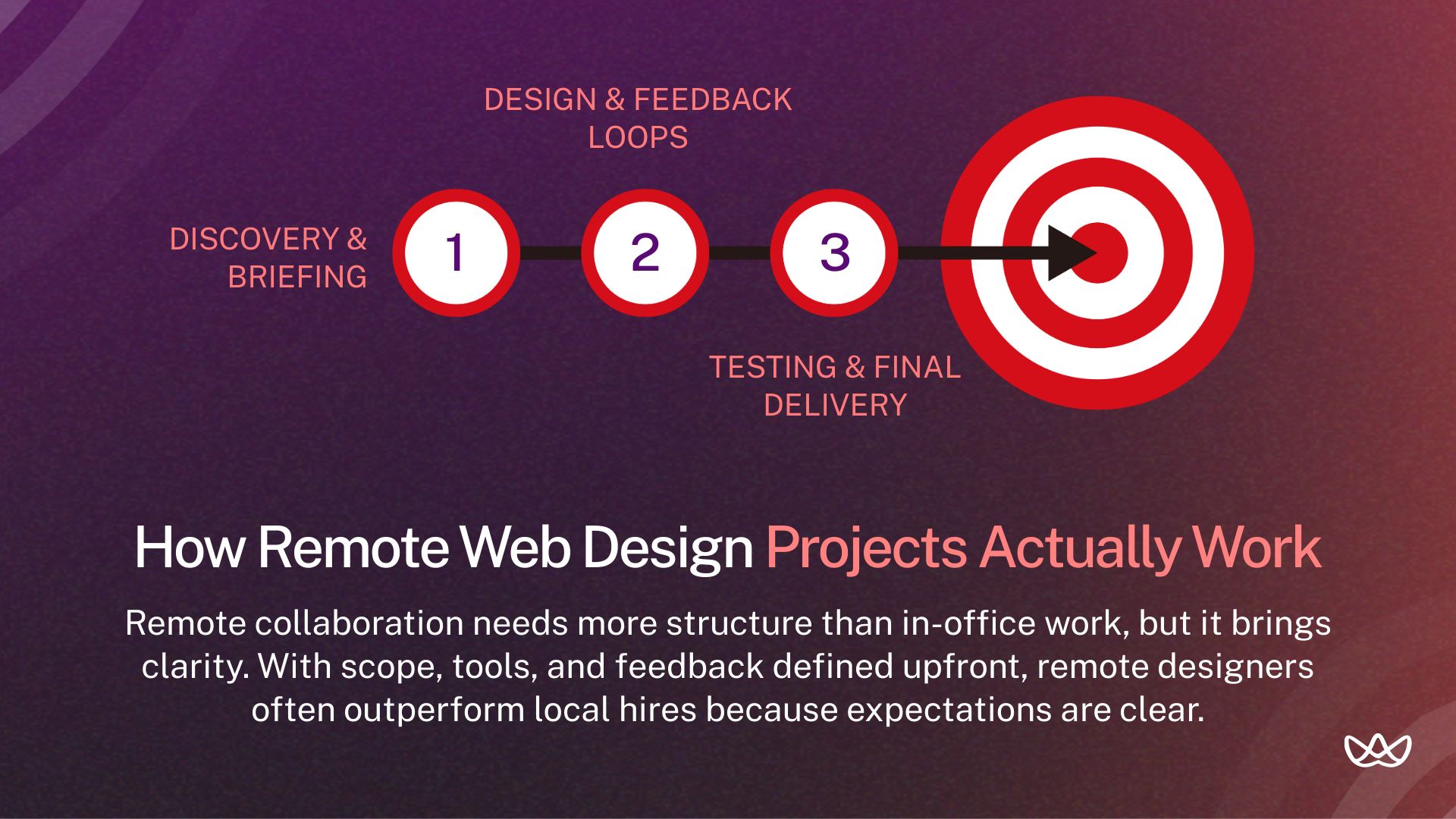
The remote web design process follows a structured, iterative workflow using cloud-based tools. It starts with discovery and strategy to define goals, then moves to wireframes and prototypes. Designers often use AI to speed up layouts and color choices.
Feedback comes through Slack or Teams, and the final stages include cross-device testing, quality checks, and a coordinated launch, with ongoing updates based on user data.
1. Discovery, Scope Definition & Project Briefing
Every project starts with clarity on what you're building and why.
Expected deliverables to define upfront:
- Number of pages or screens
- Platform requirements (Webflow, WordPress, Shopify, custom)
- Brand assets available (logo, colors, typography)
- Reference sites or style preferences
- Success metrics and launch timeline
- Revision limits and feedback process
Remote work requires more explicit documentation than in-office collaboration. What you'd communicate casually in person needs to be written down for async reference.
2. Collaboration Tools for Async + Real-Time Work
Remote designers operate within your existing toolstack or bring their own workflows. Common setups include:
- Figma: Design files, prototypes, component libraries.
- Notion or Confluence: Project documentation, briefs, specs.
- Slack or Teams: Daily communication, quick questions.
- Loom: Video walkthroughs for feedback and explanations.
- Webflow or CMS platform: Direct design implementation.
- Linear or Asana: Task tracking and project management.
The specific tools matter less than having clear systems. Establish where decisions get documented, how feedback gets delivered, and when synchronous meetings happen.
3. Feedback Loops, A/B Testing & Final Delivery
Design rarely ships perfectly on the first attempt. Build in structured feedback cycles:
- Initial concepts reviewed with stakeholders
- Revisions based on consolidated feedback
- Developer review for technical feasibility
- Final polish and asset export
- Post-launch optimization based on analytics
Remote designers who've worked with agencies understand this rhythm. They build feedback time into their estimates and don't take revisions personally.
Remote Web Designer vs Freelance vs Full-Time: Which Is Best?
Freelancers work well for short-term or specialized tasks, offering flexibility and low upfront costs. Full-time remote designers suit growing businesses that need ongoing maintenance and consistent brand alignment. For complex, enterprise-level projects, agencies provide diverse teams and structured management to ensure reliable, high-quality delivery.
Cost Differences
- Remote LATAM (full-time): $2,000-$5,500/month for dedicated capacity.
- Freelance: Variable, typically $50-$150/hour or $2,000-$10,000 per project.
- Full-time U.S.: $6,000-$11,000/month plus benefits overhead.
Remote LATAM offers the cost efficiency of freelance with the reliability of full-time. You get dedicated capacity without U.S. salary requirements.
Speed of Execution
- Remote LATAM: Consistent availability, predictable output.
- Freelance: Fast for small projects, but availability varies.
- Full-time U.S.: Always available but expensive for variable workloads.
Freelancers work well for defined projects with clear end dates. Remote full-time works better for ongoing design needs where you want someone learning your brand deeply.
Communication & Alignment
- Remote LATAM: Time zone overlap enables real-time collaboration.
- Freelance: Depends on individual, often juggling multiple clients.
- Full-time U.S.: Maximum availability, cultural alignment.
Remote LATAM designers often dedicate exclusively to one client, functioning like an extension of your team rather than a vendor managing multiple accounts.
Skills That Define a High-Performing Remote Web Designer
High-performing remote web designers combine technical skills with self-management. They use Figma and AI tools, communicate clearly across time zones, turn business data into user-focused layouts, and stay connected with the team through Slack or Zoom.
1. Strong skills in Figma, Webflow & No-Code Tools
Remote designers need to be comfortable with modern design tools.
Why it matters: Tool mastery determines execution speed. Designers who fumble with Figma components or Webflow interactions slow down entire projects.
How to evaluate: Ask candidates to share their Figma file organization system. Review a Webflow project they've built. Check if components are properly structured and named.
2. Strong UX, Wireframing & Conversion Principles
Designs need to guide users toward specific actions.
Why it matters: Visual design without UX thinking produces sites that look good but don't perform.
How to evaluate: Ask candidates to walk through a portfolio project explaining their UX decisions. Listen for user research, hierarchy reasoning, and conversion optimization language.
3. HTML/CSS Understanding for Smooth Collaboration
Designers don’t need to code full sites but must understand how layouts translate to development.
Why it matters: Designers who understand code constraints create designs that translate cleanly to implementation. Fewer surprises during development.
How to evaluate: Ask how they handle designs that developers say are difficult to build. Check if they can explain basic responsive CSS concepts.
4. Remote-Ready Skills: Communication, Autonomy & Ownership
Working remotely requires self-management and proactive communication.
Why it matters: Remote work fails when designers wait for instructions instead of driving projects forward.
How to evaluate: Ask about their experience working remotely. How do they handle blocked tasks? How do they communicate progress without being asked?
How to Select and Hire the Right Remote Web Designer
To hire the right remote web designer in 2026, review portfolios for skills in AI-driven UX and mobile-first design. Conduct structured interviews on Zoom to check communication and tool proficiency. Confirm time zone alignment and run a small paid test project to assess workflow, deadlines, and fit.
1. Define Scope, Deliverables & Required Expertise
Before searching, clarify what you need:
- Number of pages/screens to design
- Platform (Webflow, WordPress, Shopify, custom)
- Design only or design + implementation
- Ongoing support or one-time project
- Timeline and key milestones
- Budget range
Vague requirements attract vague proposals. Specific briefs get specific responses.
2. Evaluate Portfolios for Strategy, Not Just Aesthetics
Strong portfolios cover:
- Case studies with business context, not just visuals
- Before/after examples showing improvement
- Mobile and responsive versions of projects
- Explanation of UX reasoning behind decisions
- Shipped work that went live, not just concepts
Red flags: identical styling across every project, only concept work, no mobile examples, can't explain why decisions were made.
3, Conduct Structured Interviews (Creative + Technical)
Creative questions:
- Walk me through a project where your first approach didn't work
- How do you prioritize elements on a landing page?
- Describe your process when brand guidelines feel outdated
Technical questions:
- How do you organize components in Figma for handoff?
- What's your approach to responsive design?
- How do you handle feedback you disagree with?
Remote-specific questions:
- How do you communicate progress without being asked?
- What tools do you use for async collaboration?
- How do you handle timezone differences with clients?
4. Use Paid Trials to Validate Fit & Collaboration
A portfolio shows a designer’s past work, but a small trial lets you see how they handle your project in real time.
Example trial tasks:
- Redesign one section of an existing landing page.
- Create a component library for a specific use case.
- Solve a real UX problem your site currently has.
Pay for trials. Always. Evaluate file organization, communication during the process, response to feedback, and final output quality.
5. Set Clear Contracts, KPIs & Onboarding Processes
Before work begins, align on:
- Deliverables and acceptance criteria
- Payment terms and schedule
- Communication cadence and channels
- Revision limits and change request process
- Ownership of design files
- Performance metrics (if ongoing engagement)
Written agreements prevent misunderstandings. This matters more for remote work where casual clarification isn't as easy.
Remote Web Designer Hiring Checklist
Use this checklist when evaluating any remote web designer:
Skip candidates who can't check most of these boxes.
Best Practices for Working with Remote Designers
In 2026, the global shift toward decentralized work has made remote web designers the standard for companies seeking hyper-specialized talent and operational agility. Businesses now prioritize these designers to leverage AI-integrated design workflows that require global expertise often unavailable in local markets, ensuring sites meet 2026's high standards for immersive, personalized user experiences.
Create Clear Milestones & Output Expectations
Break projects into phases with defined deliverables:
- Week 1: Discovery and wireframes
- Week 2: Initial design concepts
- Week 3: Revisions and refinement
- Week 4: Final delivery and handoff
Remote work benefits from explicit checkpoints. Both parties know what's expected and when.
Use Effective Communication & PM Tools
Establish systems for:
- Daily standups: Quick async updates in Slack
- Weekly syncs: Video calls for alignment and feedback
- Documentation: Notion or Confluence for project decisions
- Design review: Figma comments for specific feedback
Consistency matters more than specific tools. Pick a system and stick to it.
Maintain Consistent Feedback Loops
Remote designers can't read the room or pick up on casual feedback. Build in structured review points:
- Consolidated feedback from stakeholders (not multiple conflicting voices).
- Written feedback with specific references (not "make it pop").
- Recorded video walkthroughs for complex explanations.
Good feedback is specific, actionable, and consolidated before delivery.
Balance Autonomy with Visibility
Remote work requires trust. Micromanaging kills productivity and morale.
Give designers autonomy over how they work while maintaining visibility into progress. Daily updates shouldn't be detailed task lists. They should be brief status checks: on track, blocked, or need input.
Best Places to Hire a Remote Web Designer
Hiring platforms range from pre-vetted talent partners that streamline full-time hiring to open marketplaces and portfolio sites better suited for short-term or budget-focused design work.
1. Floowi - Pre-Vetted LATAM Web Designers (U.S.-Aligned)
Vetted talent partners handle screening so you don't review hundreds of applications. Floowi pre-screens remote web designers for technical skills, English proficiency, and collaboration readiness.
Advantages: faster hiring (under 15 days), lower risk, candidates matched to your specific requirements, time zone alignment with U.S. teams.
2. LinkedIn
Search by skill, location, and experience level. Good for finding candidates actively open to opportunities. No vetting, so screening becomes your responsibility.
Pros: Large talent pool, detailed profiles, professional context.
Cons: High volume of applications, no quality filtering.
3. Upwork
Upwork is a freelance marketplace where designers’ work history and client reviews are visible. Quality varies, so screening is essential. Best suited for project-based work rather than full-time remote hires.
Pros: Verified reviews, escrow payment protection.
Cons: Platform fees, inconsistent quality.
4. Dribbble
Dribbble lets designers showcase portfolios, making it easy to search by style or skill. Keep in mind that portfolios often feature concept work rather than completed projects.
Pros: High visual quality, style matching.
Cons: Often concept-focused, cold outreach required.
5. Fiverr
Fiverr is budget-friendly for small or quick tasks. Quality varies, so it’s rarely ideal for ongoing design partnerships.
Pros: Low cost, fast turnaround options.
Cons: Variable quality, transactional relationships.
Your Next Move
Remote web designers give you access to global talent at lower costs without sacrificing quality. LATAM designers work in near U.S. time zones, making collaboration smoother. Focus on UX-driven portfolios, run small paid trials, and use vetted partners to hire faster and integrate talent efficiently.
Key Takeaways:
- Remote designers cost 40-50% less than U.S. hires while maintaining quality.
- LATAM talent aligns 1-3 hours with U.S. time zones.
- Evaluate portfolios for UX reasoning and shipped work, not just visuals.
- Paid trials reveal collaboration style before full engagement.
- Vetted partners cut hiring time from 6-8 weeks to under 15 days.
- Clear scope, structured feedback, and communication make remote work succeed.
Hire vetted LATAM remote web designers in under 15 days through Floowi. Book your free consultation today.
Frequently Asked Questions
How do remote web designers reduce costs compared to U.S. in-house hires?
Cost savings come from geographic arbitrage. LATAM designers earn U.S.-competitive wages relative to their local markets while costing 40-50% less than equivalent U.S. salaries. Quality remains comparable because training resources and tools are globally accessible.
What's the ROI of hiring LATAM designers vs. U.S. freelancers?
LATAM full-time designers offer predictable monthly costs with dedicated capacity. U.S. freelancers charge hourly rates that add up quickly for ongoing work. For continuous design needs, LATAM typically delivers better ROI through consistency and lower total cost.
What technical skills are non-negotiable for remote web designers in 2026?
Figma proficiency, responsive design expertise, and understanding of at least one CMS platform (Webflow, WordPress, Shopify). HTML/CSS literacy helps with developer handoffs. Remote-specific skills like async communication and self-management are equally important.
How do portfolios reveal a designer's UX thinking beyond aesthetics?
Look for case studies that explain reasoning: why elements are placed where they are, what user problems were solved, how business goals shaped decisions. Candidates who can only describe visual choices lack the strategic thinking you need.
How do nearshore LATAM talent partners reduce hiring risks and improve retention?
Partners pre-screen for skills, English proficiency, and remote work readiness. They handle initial vetting that would take you weeks. Many also provide ongoing support for retention, addressing issues before they lead to turnover.
What's the best way to structure interviews to evaluate remote designers?
Mix creative questions (walk through a failed project), technical questions (explain your Figma organization), and remote-specific questions (how do you communicate progress). Paid trials validate what interviews can't: actual working style.
How do paid trials validate collaboration, UX approach, and technical skills?
Trials reveal file organization, communication patterns, response to feedback, and problem-solving approach. Portfolios show polished final work. Trials show how someone actually works day-to-day.
How do agencies budget for remote web design talent in 2026?
Most agencies budget $2,500-$5,000 monthly for dedicated LATAM designers. That covers full-time capacity equivalent to $6,000-$11,000 for U.S. hires. The savings fund additional design capacity or other growth investments.
Where can I find a remote web designer?
The best way to find a remote web designer is through vetted platforms like Floowi for top nearshore LATAM talent, freelance sites like Upwork for short-term projects, or portfolio platforms like Dribbble and Behance to identify designers whose style and skills fit your brand.




